
Quick Summary: What You'll Learn
- The core syntax of JavaScript and how to write clean code.
- How to grab and change HTML elements using the DOM.
- Creating reactive features with event listeners.
- Handling data from outside sources using asynchronous functions.
- Common pitfalls that crash websites and how to fix them.
Getting Your Feet Wet with JavaScript Syntax
Before you build a complex app, you need to understand how the language thinks. JavaScript is a high-level, interpreted programming language that conforms to the ECMAScript specification. It's the primary language of the web, meaning every single modern browser has a built-in engine to run it.
You don't need fancy software to start. A simple text editor and a browser like Chrome or Firefox are enough. Start by creating a script.js file and linking it to your HTML. One of the first things you'll encounter is variable declaration. Forget var; it's outdated. Use let for values that change and const for things that stay the same, like a mathematical constant or a fixed API endpoint.
Let's talk about functions. Think of a function as a recipe. You define the steps once, and then you can "cook" that logic whenever you need it. Modern developers often use
Arrow Functions
a shorter syntax for writing functions introduced in ES6
because they are cleaner and handle the this keyword more predictably in complex objects.
Mastering the DOM: Making the Page Alive
The most important concept for any web developer is the DOM the Document Object Model, which represents the HTML document as a tree of objects . When JavaScript "touches" a webpage, it's actually interacting with the DOM.
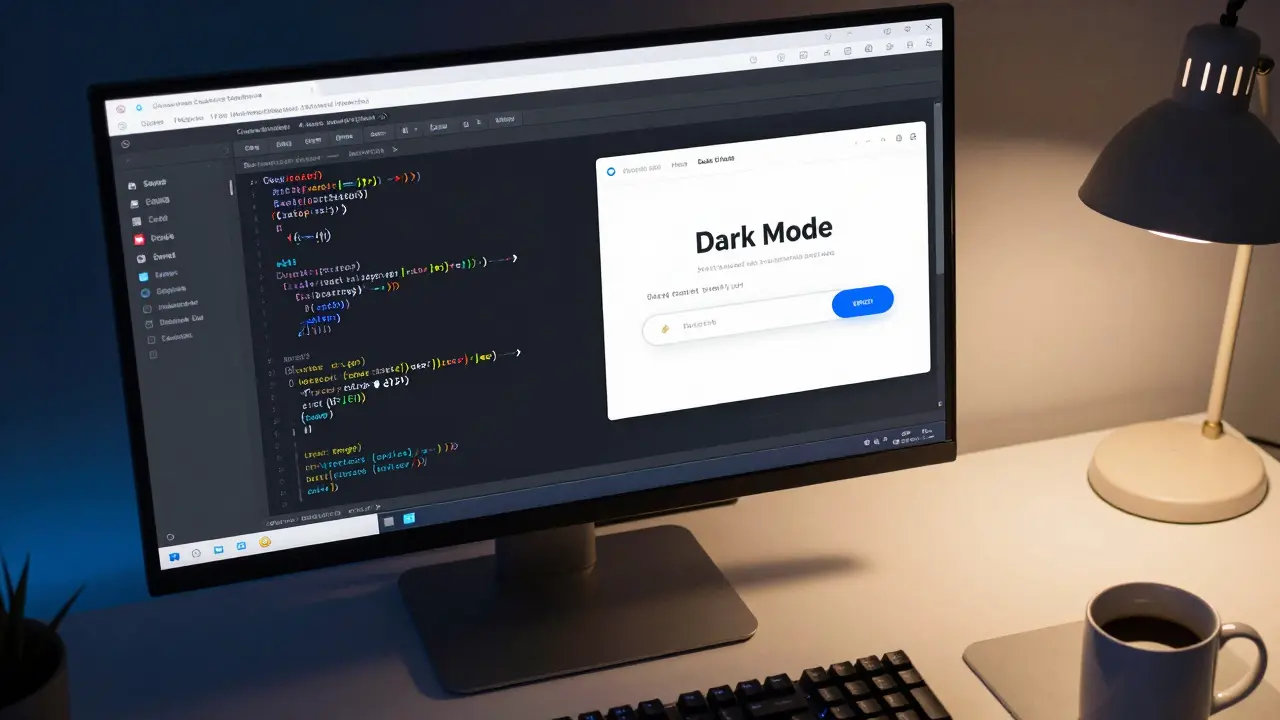
To change something on your screen, you first have to find it. You'll spend a lot of time using document.querySelector(). For example, if you have a button with the ID "submit-btn", you can grab it and change its text or color instantly. This is how you create a "Dark Mode" toggle: you find the body element and flip a CSS class from "light" to "dark".
But changing text isn't enough. You need to change the structure. With methods like document.createElement() and appendChild(), you can inject new content into the page on the fly. Imagine a to-do list where a new item appears the moment you hit enter-that's the DOM in action.
Adding Interactivity with Event Listeners
A website that only changes when it loads is boring. You want it to respond to the user. This is where Event Listeners methods that wait for a specific user action like a click or keypress to trigger a function come in.
The addEventListener method is your best friend here. Instead of putting a "onclick" attribute directly in your HTML (which is an old-school habit you should avoid), you keep your logic in the JS file. This keeps your code organized and easier to debug. You can listen for a variety of events: 'click' for buttons, 'submit' for forms, or even 'mouseenter' for fancy hover effects.
One pro tip: be careful with "event bubbling". When you click a button inside a div, the click event actually triggers on the button AND the div. If you only want the button to react, use event.stopPropagation(). It's a small detail that prevents your website from behaving erratically.
| Event | User Action | Typical Application |
|---|---|---|
click |
Clicks an element | Opening a menu, submitting a form |
input |
Types in a field | Real-time search suggestions |
submit |
Sends a form | Validating email addresses before sending |
DOMContentLoaded |
Page finished loading | Initializing scripts after HTML is ready |
Handling Data with Async JavaScript
Static data is fine for a portfolio, but real websites need live data. Maybe you want to show the current weather in Perth or fetch the latest stock prices. Since requesting data from a server takes time, JavaScript uses Asynchronous Programming a method of executing code that allows the program to continue running while waiting for a task to complete .
In the past, we used "callbacks", which led to a mess called "callback hell". Then came
Promises
an object representing the eventual completion or failure of an asynchronous operation
. Today, the gold standard is async and await. It makes asynchronous code look and behave like synchronous code, which is much easier for our brains to process.
The
Fetch API
a modern interface for making network requests to retrieve resources from a server
is the tool you'll use to get this data. When you call fetch('url'), the browser goes off to find the data. By using await, you tell JavaScript: "Hold on a second, wait for this data to come back before you try to display it on the screen." This prevents those annoying undefined errors that happen when you try to render data that hasn't arrived yet.
Structuring Your Logic for Scalability
When you first start, putting all your code in one giant file feels easy. But as your site grows, that file becomes a nightmare. To avoid this, you should use
ES Modules
a standardized system for splitting JavaScript code into separate files
. By using export and import, you can keep your utility functions in one file, your API logic in another, and your DOM manipulation in a third.
You should also think about state management. State is simply the current "snapshot" of your application. For example, is the user logged in? Is the shopping cart empty? Instead of letting every function change the DOM directly, try updating a central state object first, and then trigger a function that updates the UI based on that state. This is the fundamental logic behind giant frameworks like React.js a popular JavaScript library for building user interfaces based on components .

Common Pitfalls and How to Dodge Them
Even the pros make mistakes. One of the biggest traps is the "Strict Mode" confusion. Adding "use strict"; at the top of your script prevents you from using undeclared variables, which catches bugs early. If you don't use it, JavaScript might silently fail or create global variables that clash with other parts of your code.
Another headache is the null vs undefined problem. undefined means a variable has been declared but hasn't been assigned a value yet. null is an intentional assignment of "nothing". Checking for these using the "nullish coalescing operator" (??) can save you from the dreaded "Cannot read property of null" error that crashes so many sites.
Finally, be mindful of performance. Adding too many event listeners to a long list of items can slow down the browser. Instead, use "event delegation". Attach one listener to the parent element and use the event object to figure out which child was actually clicked. This is significantly more efficient for the browser's memory.
Do I need to learn HTML and CSS before JavaScript?
Yes, absolutely. JavaScript is used to manipulate HTML and CSS. If you don't understand how a div or a class works, you won't know what you're actually manipulating with your code. Spend a few weeks getting comfortable with the basics of layout and styling before diving deep into JS.
Where should I place my script tag in HTML?
The best practice is to place your <script> tag at the very end of the body, just before the closing </body> tag. Alternatively, use the defer attribute in the head section. This ensures the browser parses the HTML first, so your script doesn't try to grab an element that hasn't been created yet.
Is JavaScript the same as Java?
No. Despite the similar names, they are completely different languages. Java is a compiled language often used for Android apps and enterprise backend systems. JavaScript is a scripting language primarily used for web interactivity. It's like the difference between a car and a carpet-both start with 'ca', but they do very different things.
What is the difference between let, const, and var?
var is the old way and has function-scope, which can lead to bugs. let is block-scoped, meaning it only exists within the curly braces where it was defined. const is also block-scoped but cannot be reassigned after its first value is set. Use const by default, and let only if you know the value must change.
How can I debug my JavaScript code?
The most basic way is console.log(), but the real power is in the Browser DevTools. Right-click your page, select "Inspect", and go to the "Sources" tab. You can set "breakpoints" to pause your code at a specific line and see exactly what the variables are at that moment.
Next Steps and Troubleshooting
If your code isn't working, the first place to look is the Console tab in your browser's developer tools. Red text there will tell you exactly which line is causing the problem. If you see "Unexpected token", you likely forgot a closing bracket or a comma. If you see "Cannot read property of null", your querySelector didn't find the element you thought it would.
Once you've mastered these basics, try building a small project. A weather app using a real API, a dynamic budget calculator, or a simple game like Rock Paper Scissors. This moves you from "tutorial hell" (where you just copy code) to actually solving problems. From there, you can explore frameworks like React, Vue, or Svelte to build even larger applications with more efficiency.