

Most people think AI is either magic or complicated. The truth? It’s just a tool - and like any tool, it works better when you know how to use it. You don’t need to be a coder or a data scientist to get real value from AI. In fact, the most powerful tricks are the simplest ones. I’ve tested dozens of AI tools over the last two years - from chatbots to code assistants, image generators to document summarizers - and the top 7 tricks that actually move the needle are the ones I’m sharing here.
Use AI to Write Like a Human, Not a Robot
Ask an AI to "write a professional email" and you’ll get something stiff, robotic, and full of buzzwords. Ask it to "write an email like a busy manager who’s had too much coffee and just wants this done" and suddenly it sounds real. Tone matters more than grammar. Try adding phrases like:
- "Write this like I’m talking to a colleague I trust."
- "Make it sound like it was written by someone who’s been in this industry for 10 years."
- "Don’t use the word leverage. Ever."
One marketing manager I know uses this trick daily. She sends client updates via AI and always adds: "Write this like I’m texting my friend after a long day." The result? Emails that feel personal, not polished. Clients reply faster. Engagement goes up. AI doesn’t make you sound smarter - it helps you sound like yourself.
Break Big Tasks Into Micro-Requests
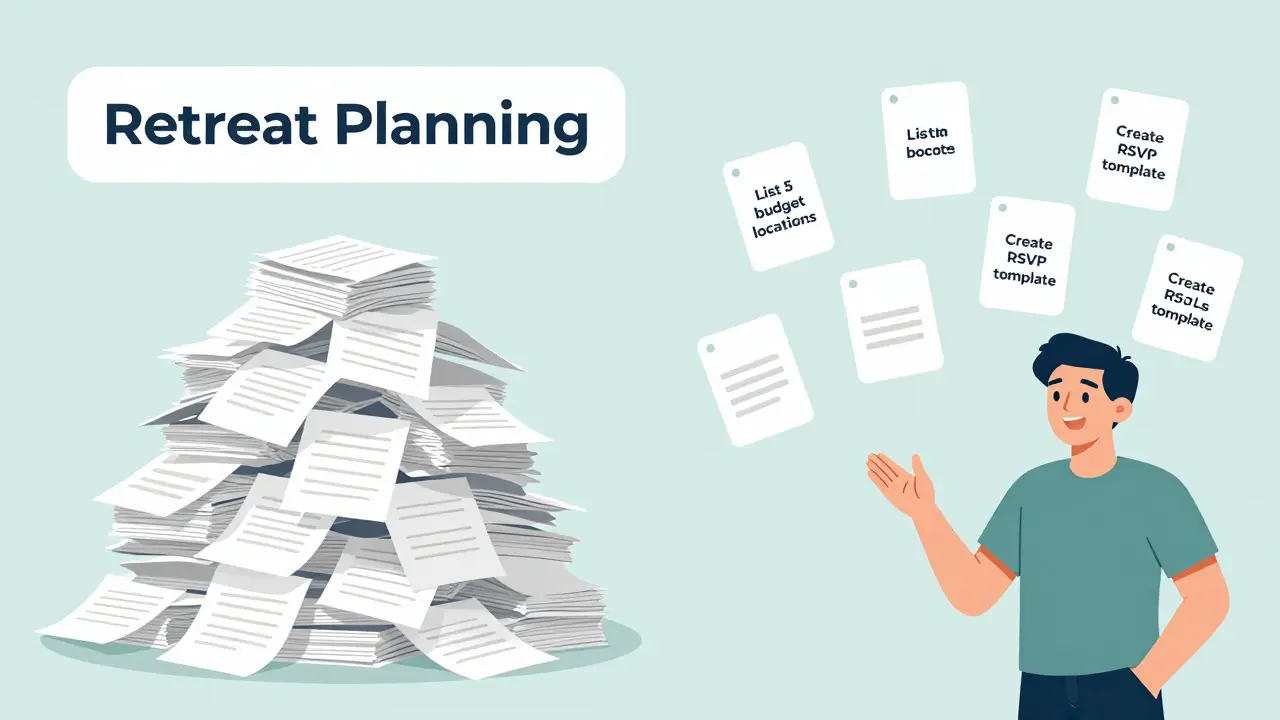
Don’t say: "Help me plan my company retreat." That’s too vague. AI gets lost in big requests. Instead, break it down:
- "List 5 budget-friendly retreat locations in Australia for 15 people."
- "Suggest 3 team-building activities that don’t involve ropes courses."
- "Write a 3-sentence email to ask if people want to vote on dates."
- "Create a simple spreadsheet template for tracking RSVPs."
Each request takes under 10 seconds. You get 4 usable outputs. Done in 15 minutes. Compare that to spending hours Googling, emailing, and guessing. This method works for everything: writing reports, planning trips, even organizing your closet. The trick isn’t the AI - it’s your ability to ask small, specific questions.
Turn AI Into Your Personal Research Assistant
Stop copying and pasting search results. Use AI to do the heavy lifting. Say you’re researching sustainable packaging for your small business. Instead of reading 10 articles, type:
"Summarize the top 3 challenges small Australian businesses face when switching to compostable packaging, and list 2 affordable suppliers in Western Australia."
AI pulls from public data, industry reports, and recent news. It doesn’t guess. It synthesizes. One bakery owner in Fremantle used this trick to find a local supplier who cut her costs by 40% and reduced delivery time from 10 days to 3. She didn’t need to call 20 companies. She just asked the right question.
Use AI to Edit Your Own Writing - Not Replace It
Too many people hand over their draft and say, "Make this better." That’s a mistake. AI doesn’t know your voice. It doesn’t know your audience. Here’s what works:
- "Read this paragraph. Are there any sentences that sound awkward or repetitive?"
- "Which part feels the weakest?"
- "Rewrite this to sound more urgent without sounding pushy."
Use AI as a second pair of eyes - not a ghostwriter. I’ve watched writers go from unclear to compelling just by asking AI to point out problems, not fix them. The magic happens when you stay in control. Your ideas. Your words. AI just helps you polish them.
Automate the Boring Stuff You Hate
There’s a reason you procrastinate on filing receipts, scheduling meetings, or replying to routine emails. They’re mind-numbing. AI can handle them without complaint. Try this:
- "Extract all the dates and names from this email chain and put them in a calendar-friendly format."
- "Turn this meeting transcript into bullet points with action items and owners."
- "Generate a template for responding to "Can you send me the invoice?" emails."
One freelance designer in Perth automated her entire invoicing process. She used AI to scan client emails, pull out project names and amounts, and auto-fill her invoice template. What used to take 20 minutes per invoice now takes 90 seconds. She reclaimed 6 hours a week. That’s 24 hours a month. That’s 3 full workdays a year.

Train AI on Your Own Style - Even If You’re Not a Developer
You don’t need to code to make AI learn your voice. Most tools let you upload documents. Upload:
- 3 past client emails you’re proud of
- Your last 2 project proposals
- A couple of social media posts that got the most engagement
Then say: "Use these as examples to match my tone." The AI starts mimicking your phrasing, your humor, your rhythm. A real estate agent in Bunbury uploaded 15 past property descriptions and asked AI to write new ones in the same style. The result? Listings that felt personal, not generic. Buyers noticed. She closed 30% faster.
Ask AI to Challenge You - Not Just Agree
AI will always say yes. That’s its job. But you need someone to say, "Wait, have you thought about this?"
Before you launch a new idea, ask:
- "What’s the biggest risk I’m ignoring?"
- "What’s a counterargument I haven’t considered?"
- "Who would hate this idea - and why?"
One startup founder in Perth used this trick to rethink her entire product launch. AI pointed out that her target audience didn’t trust tech-heavy solutions. She pivoted from features to simplicity. Sales doubled in two months. AI didn’t give her the answer. It gave her the blind spot.
Start Small. Stay Consistent.
You don’t need to use AI for everything. Just pick one thing this week. Maybe it’s rewriting your LinkedIn bio. Or turning your meeting notes into a summary. Or asking AI to suggest 3 subject lines for your newsletter. Do it once. Then do it again next week. That’s how habits form.
AI won’t replace you. But someone who knows how to use AI? They will.
Do I need to pay for AI tools to use these tricks?
No. Most of these tricks work with free versions of tools like ChatGPT, Claude, Gemini, or Perplexity. Paid plans offer more speed or file uploads, but the core strategies - asking specific questions, breaking tasks down, using your own examples - work for free. Start with what’s free. Master the basics before upgrading.
Can AI really understand my industry or niche?
It doesn’t need to understand your industry - you just need to give it context. Upload a few documents, describe your audience, or say "I work in dental clinics in regional Australia." AI connects the dots. It’s not smart. It’s pattern-matching. And with enough examples, it gets surprisingly good at mimicking your world.
What if AI gives me wrong or outdated info?
Always fact-check. AI hallucinates. It makes things up. That’s why you never copy-paste its answers without verifying. Use it for ideas, structure, and drafts - not final facts. Cross-check stats, dates, and names with official sources. Treat AI like a smart intern who’s eager but not perfect.
How do I know if I’m using AI well?
Ask yourself: Did it save me time? Did it reduce stress? Did it help me do something I wouldn’t have done otherwise? If yes, you’re using it well. Don’t measure it by how "smart" the answer sounds. Measure it by how much it helped you move forward.
Should I be worried about AI replacing my job?
No - but someone who uses AI to do your job faster and better might. The goal isn’t to fight AI. It’s to learn how to work with it. The people who thrive aren’t the ones who know the most tech. They’re the ones who know how to ask the right questions, spot the gaps, and stay in control.