
Stop typing. Seriously. If you’re measuring your programming speed by how fast your fingers hit the keys, you’re already losing. The developers who ship features in half the time aren’t typists; they’re strategists. They know that programming faster isn’t about muscle memory-it’s about reducing friction between your brain and the screen.
We’ve all been there: staring at a blank editor, paralyzed by the sheer volume of boilerplate code required just to start. Or worse, spending three hours debugging a typo because you rushed through the writing phase. Speed comes from clarity, repetition reduction, and tool mastery. Let’s break down exactly how to build a workflow that feels like cheating.
Master Your Environment: The IDE is Your Co-Pilot
Your Integrated Development Environment (IDE) is not just a text file with syntax highlighting. It is an intelligent engine designed to predict your next move. If you are using a basic text editor without plugins, you are driving a car with no power steering. Modern IDEs like Visual Studio Code or JetBrains IntelliJ offer autocomplete that goes beyond simple word matching. They understand context.
Here is the first rule of speed: never type something twice if the computer can guess it. Enable "IntelliSense" or equivalent smart completion. When you start typing a variable name, let the IDE finish it. But don’t stop there. Learn the keyboard shortcuts for refactoring. Renaming a function across ten files should take two seconds, not ten minutes of search-and-replace anxiety.
- Multi-cursor editing: Hold `Alt` (or `Option` on Mac) and click to place multiple cursors. Type once, update everywhere. This is invaluable for updating JSON objects or HTML attributes.
- Symbol navigation: Use `Cmd+P` or `Ctrl+P` to jump to any file or symbol instantly. Stop clicking through folder trees.
- Snippet expansion: Create custom snippets for repetitive blocks. Typing `for` and hitting tab should generate a full loop structure.
The goal is to keep your hands on the home row. Every time you reach for the mouse, you break your flow state. Reclaim those seconds, and they add up to hours over a week.
Embrace AI Pair Programming
In 2026, ignoring AI assistance is like refusing to use a calculator for basic arithmetic. Tools like GitHub Copilot or Amazon CodeWhisperer have evolved from novelty suggestions to genuine pair programmers. They don’t just complete lines; they draft entire functions based on comments.
Think of AI as a junior developer who works incredibly fast but needs supervision. You describe the logic in plain English-"Create a function that validates an email address and returns a boolean"-and the AI generates the code. Your job shifts from writing to reviewing. This reduces cognitive load significantly. Instead of wrestling with syntax, you focus on architecture and logic.
| Task | Traditional Approach | AI-Assisted Approach |
|---|---|---|
| Boilerplate Setup | Copy-paste from StackOverflow or old projects | Generate via natural language prompt |
| Unit Tests | Write manually after implementation | Generate test cases alongside code |
| Debugging | Print statements and manual tracing | Paste error log into AI for root cause analysis |
| Documentation | Often skipped or written last | Auto-generated docstrings from code context |
However, caution is key. AI can hallucinate libraries that don’t exist or suggest insecure patterns. Always verify imports and security implications. The speed gain comes from drafting, not blind acceptance.

Code Less, Think More: The Architecture Shortcut
Fast coders write less code. This sounds counterintuitive, but it’s true. If you find yourself writing 500 lines to solve a problem, you’re likely missing a library, a pattern, or a simpler approach. Reading documentation might feel slow initially, but it prevents weeks of reinventing the wheel.
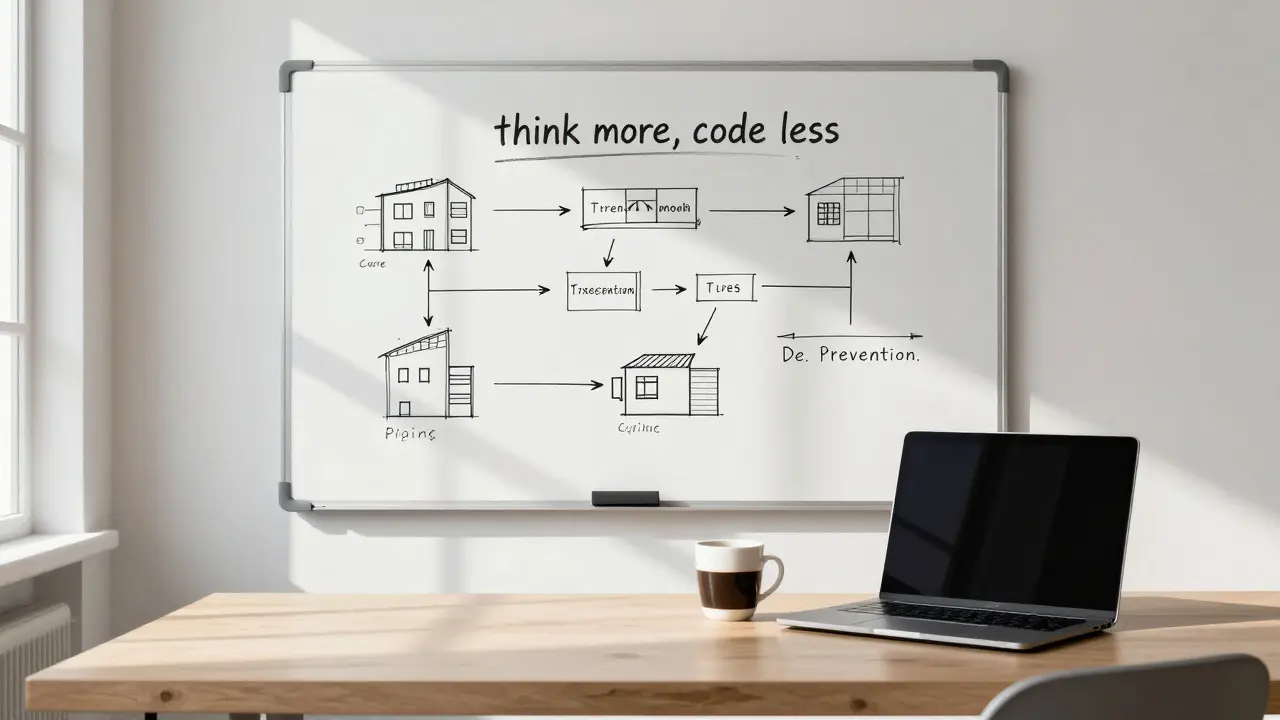
Before you write a single line of code, sketch the solution. Use pseudocode or a whiteboard. Define inputs, outputs, and edge cases. This mental compilation catches logical errors before they become runtime bugs. Debugging is the biggest time sink in software development. Preventing bugs is infinitely faster than fixing them.
Also, leverage existing ecosystems. Don’t write your own authentication system unless you’re building a security firm. Use established frameworks like OAuth providers or identity services. Trust the community-maintained tools. They’ve already solved the edge cases you haven’t thought of yet.
Automate the Boring Stuff
If you do a task more than once, automate it. This applies to testing, deployment, and even environment setup. Manual processes are prone to human error and consume valuable mental energy.
Set up pre-commit hooks that run linters and formatters automatically. Tools like Prettier or ESLint ensure your code is consistent without you thinking about indentation. Configure your CI/CD pipeline to run tests on every push. If the build fails, you know immediately, rather than discovering it during a late-night demo.
Consider infrastructure as code (IaC). Using tools like Terraform or Docker Compose allows you to spin up development environments in seconds instead of hours. Consistency across machines eliminates the "it works on my machine" syndrome, which wastes countless team hours.
The Human Element: Focus and Flow
No amount of tooling helps if you’re distracted. Programming requires deep work-a state of focused concentration where you tackle complex problems without interruption. Context switching is expensive. It takes an average of 23 minutes to fully refocus after an interruption.
Protect your time. Turn off notifications. Use noise-canceling headphones. Schedule "deep work" blocks on your calendar where colleagues know not to disturb you. Batch your communication tasks-check emails and Slack messages at specific times, not continuously throughout the day.
Physical health also impacts coding speed. Fatigue leads to bugs. Take regular breaks. Walk away from the screen. Hydrate. A tired brain makes silly mistakes that take hours to debug. Prioritize sleep and exercise; they are performance enhancers for your code.
Continuous Learning: Stay Sharp
The tech landscape changes rapidly. What was best practice five years ago may be obsolete today. Staying updated doesn’t mean chasing every new framework. It means understanding core concepts deeply so you can adapt quickly.
Focus on fundamentals: data structures, algorithms, design patterns, and system design. These principles transcend languages and tools. Once you understand recursion, you can apply it in Python, JavaScript, or Rust. Invest time in learning one new concept per month. Read source code of popular libraries to see how experts structure their solutions.
Join communities. Discuss problems with peers. Teaching others forces you to clarify your own understanding. Blogging about what you learn reinforces knowledge and builds credibility. Speed comes from familiarity, and familiarity comes from consistent practice.
Is it better to type faster or think faster when programming?
Thinking faster is crucial. Typing speed has diminishing returns because most programming time is spent designing, debugging, and reviewing. Reducing cognitive load and improving decision-making yields greater speed gains than increasing keystrokes per minute.
How much time can AI save me in daily coding tasks?
Studies suggest AI assistants can reduce coding time by 20-40% for routine tasks like boilerplate generation and unit testing. However, complex architectural decisions still require human oversight. The savings come from eliminating repetitive drudgery, allowing you to focus on high-value logic.
What is the best IDE for speeding up development?
There is no single best IDE, but Visual Studio Code and JetBrains products (like IntelliJ IDEA or PyCharm) are top choices due to their extensive plugin ecosystems and intelligent code completion. Choose the one that aligns with your primary language stack and offers robust refactoring tools.
Should I memorize all keyboard shortcuts?
No, memorize only the ones you use daily. Start with navigation (jumping to files/symbols), editing (multi-cursor, duplicate lines), and refactoring (rename, extract method). Gradually add more as they become part of your muscle memory. Overloading yourself slows you down initially.
How does automation help in programming faster?
Automation removes manual, error-prone steps like formatting, linting, and testing. By setting up automated pipelines, you ensure consistency and immediate feedback. This frees up mental bandwidth for creative problem-solving rather than mundane maintenance tasks.