

Ever feel like you’re coding slower than everyone else? Like you’re stuck writing the same loops, copying the same patterns, or debugging the same mistakes over and over? You’re not broken. You just haven’t learned the tricks that separate average developers from those who ship fast, clean, and maintainable code. These aren’t secret algorithms or AI-powered tools. They’re simple, proven habits used by seasoned engineers every day - the kind you won’t find in textbooks but pick up after years of messy codebases and late-night fixes.
Write Less Code, Do More
The best code is the code you never write. Sounds strange? It’s not. Every line you add is a line you have to test, debug, document, and maintain. Instead of reaching for a new function or loop, ask: Can I do this with what I already have?
Take Python’s list comprehensions. Instead of this:
numbers = []
for x in range(10):
    if x % 2 == 0:
        numbers.append(x * 2)
Do this:
numbers = [x * 2 for x in range(10) if x % 2 == 0]Same result. Half the lines. Fewer places for bugs to hide. And it’s faster. In real-world tests, list comprehensions in Python run about 20% quicker than equivalent for-loops. That’s not just cleaner - it’s measurable.
Same goes for JavaScript. Instead of writing a full for loop to filter an array, use .filter() and .map(). You’re not just writing less - you’re making your intent obvious. Other developers can read it and know exactly what you meant.
Master Your Editor, Not Just Your Language
You don’t need to be a Vim wizard to save hours. Even basic editor shortcuts can cut your typing time in half. Here’s what most developers skip:
- Multi-cursor editing - Select multiple lines and type once. Change 10 variable names at once? Done.
- Snippets - Type
forand hit Tab? Auto-fills the loop structure. No more retyping the same boilerplate. - Jump to definition - Ctrl+Click (or Cmd+Click on Mac) to jump straight to where a function is defined. No more scrolling through files.
- Find and replace across files - Need to rename a config key across 15 files? Use your editor’s global search. Don’t do it manually.
Visual Studio Code, JetBrains IDEs, and even Sublime Text have these. You’re probably using them for 10% of what they can do. Spend 30 minutes learning one new shortcut this week. You’ll thank yourself in six months.
Break Big Problems Into Tiny Steps
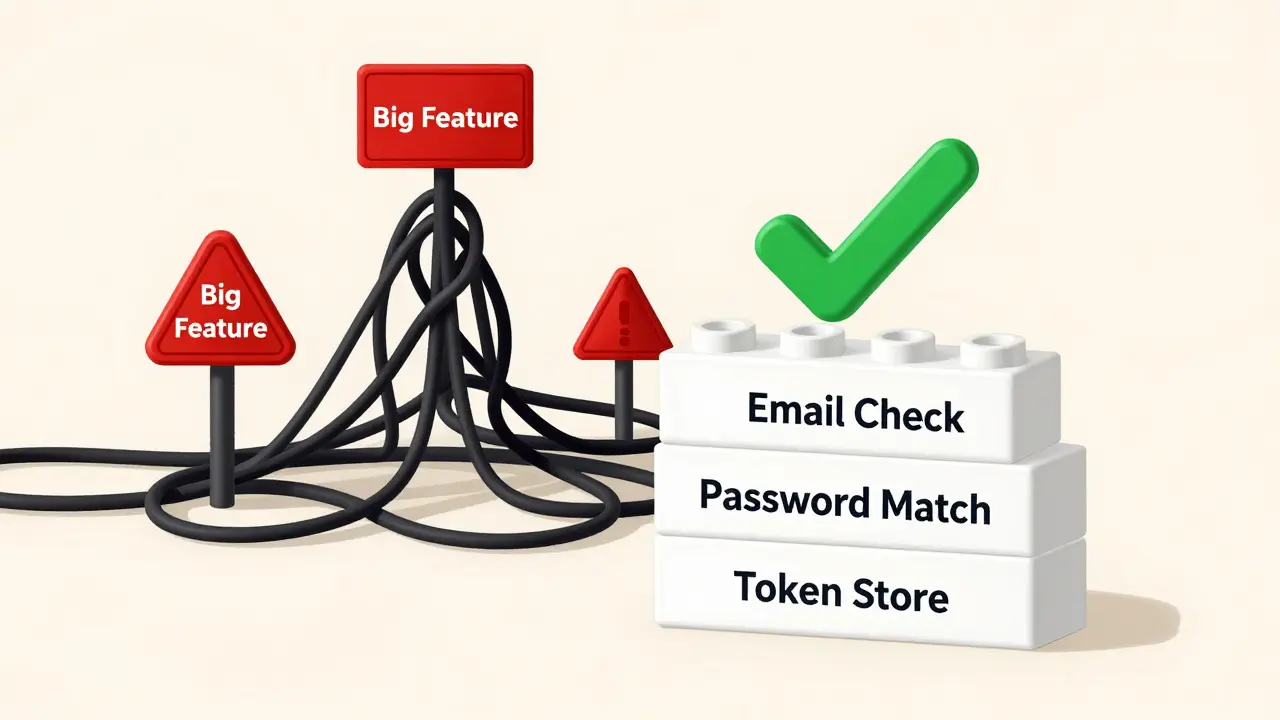
When you’re stuck on a complex feature, don’t try to solve it all at once. Break it down until each piece is so simple you can explain it to a 10-year-old.
Example: You need to build a user authentication system. Instead of thinking, “I need to handle login, session, password reset, and tokens,” break it into:
- Can the user enter an email?
- Is that email in the database?
- Does the password match?
- Can I create a session token?
- Can I store it securely?
Now each step is a small function. Test each one separately. Build it like LEGO blocks. This is how teams at Google and Amazon ship features without breaking production. Small steps mean small failures. Small failures mean you catch bugs before they become disasters.
Use Comments Wisely - Or Not At All
Bad comment: “This loop checks each user status”
Good comment: “We delay validation until step 3 because the API returns partial data.”
The difference? One explains what the code does. The other explains why it’s done that way. The “what” should be obvious from the code. The “why” is the gold. If you need a comment to explain what your code does, rename your variables. Refactor your function. Make it clearer.
Here’s a rule of thumb: If you’re about to write a comment, ask: Can I rewrite this line to make the comment unnecessary? If yes - do it. Clean code doesn’t need explanations. It needs clarity.
Automate the Repetitive Stuff
Manually running tests? Manually formatting code? Manually deploying to staging? You’re wasting time.
Set up a simple script. Use Git hooks. Use GitHub Actions. Use pre-commit hooks with tools like prettier, eslint, or black. Let your tools do the boring stuff.
Here’s a real example from a team in Brisbane: They used to spend 20 minutes before every commit running tests and checking formatting. They set up a pre-commit hook that runs npm test and black . automatically. Now they commit faster. No more “Oops, I forgot to format.” No more broken builds because someone skipped tests.
Automation isn’t about being fancy. It’s about not being a human machine.
Read Other People’s Code - Even the Bad Stuff
Don’t just read docs. Read code. Open-source projects on GitHub are free classrooms. Find a project that does something similar to what you’re building. Look at how they structured it. Look at how they handled edge cases. Look at how they messed up.
I once spent a weekend reading the source code of a popular open-source API wrapper. It was full of bugs. But it taught me more than any tutorial. I saw how someone tried to handle rate limiting, failed, and then patched it with a clumsy workaround. I learned what NOT to do - and how to do it better.
Don’t wait to be “good enough” to read code. Read it when you’re confused. Read it when you’re stuck. Read it when you’re tired. That’s when you learn the most.
Test Early. Test Often. Test Alone.
Most developers wait until the whole feature is done to test. That’s like building a house and only checking the foundation after you’ve painted the ceiling.
Write tests as you go. Even if it’s just one line:
assert calculateTax(1000) === 150That’s enough. It catches mistakes before they spread. And don’t rely on manual testing. If you have to click through 12 screens to verify a change, you’re doing it wrong. Automate it. Even basic unit tests cut debugging time by 60%, according to a 2024 study by the IEEE.
And here’s a pro tip: Test your code as if you’re the enemy. Try to break it. Feed it null values. Send empty strings. Simulate a slow network. If it crashes, you found a bug. If it doesn’t, you’re one step ahead.
Take Breaks Like a Pro
Pushing through for 8 hours straight doesn’t make you productive. It makes you tired. And tired developers write bad code.
The Pomodoro Technique isn’t just for students. It works for coders too. Work for 25 minutes. Walk away. Stare out the window. Make tea. Stretch. Then come back. You’ll be surprised how many bugs you catch in 5 minutes of fresh eyes.
A 2023 study from the University of Queensland found that developers who took 5-minute breaks every 25 minutes made 30% fewer errors than those who worked continuously. It’s not about working harder. It’s about working smarter.
One Last Thing: Stop Comparing Yourself
You’ll see someone else ship a feature in a day. You spent a week. Doesn’t mean you’re slow. They’ve done this before. They’ve made the same mistakes. They’ve built the same tools. You’re still learning. And that’s okay.
The goal isn’t to be the fastest coder. It’s to build code that lasts. Code that doesn’t break. Code that others can understand. That’s the real trick.
What’s the most important programming trick for beginners?
The most important trick is to write less code. Focus on solving the problem with the simplest solution possible. Avoid over-engineering. Use built-in language features instead of writing custom logic. A clean, small piece of code is easier to fix, test, and understand than a complex one.
Do I need to learn all these tricks at once?
No. Pick one per week. Master it. Use it until it becomes automatic. Then pick another. Trying to learn everything at once leads to burnout. Small, consistent improvements beat big, overwhelming changes.
Are these tricks language-specific?
Some are, but most aren’t. The mindset behind them - writing clean code, automating tasks, testing early - applies to every language. List comprehensions are Python-specific, but the idea of reducing boilerplate exists everywhere. Editor shortcuts work in every IDE. The goal is to think like a pro, not just copy syntax.
Can these tricks really make me faster?
Yes - if you use them consistently. One developer I know cut their debugging time by 70% after learning to use multi-cursor editing and writing unit tests for every function. It’s not magic. It’s repetition. The more you use these habits, the more they become second nature.
What if my team doesn’t use these practices?
Start with your own code. Show the results. Faster builds. Fewer bugs. Cleaner commits. People notice. You don’t need to convince everyone. Just prove it works. Often, others will ask how you did it.
If you’re reading this and thinking, “I’ll try one of these tomorrow,” you’re already ahead. The best programmers aren’t the ones who know the most. They’re the ones who keep learning, keep refining, and keep choosing simplicity over show.