

Starting to code can feel overwhelming. You see people building apps, websites, and games, and wonder how they got there so fast. The truth? Most beginners make the same mistakes - not because they’re not smart, but because no one told them what actually matters.
Start with one language, not ten
Don’t jump between Python, JavaScript, Java, and C++ hoping to find the "right" one. Pick one and stick with it for at least three months. If you’re learning to build websites, go with JavaScript. Want to automate tasks or get into data? Start with Python. It’s simple, readable, and used everywhere - from startups to NASA.
Python’s syntax is close to plain English. You don’t need semicolons or complex brackets just to print "Hello World." That means you spend less time fighting the language and more time solving problems. Once you understand core concepts like variables, loops, and functions, switching to another language later is much easier.
Code by hand - yes, really
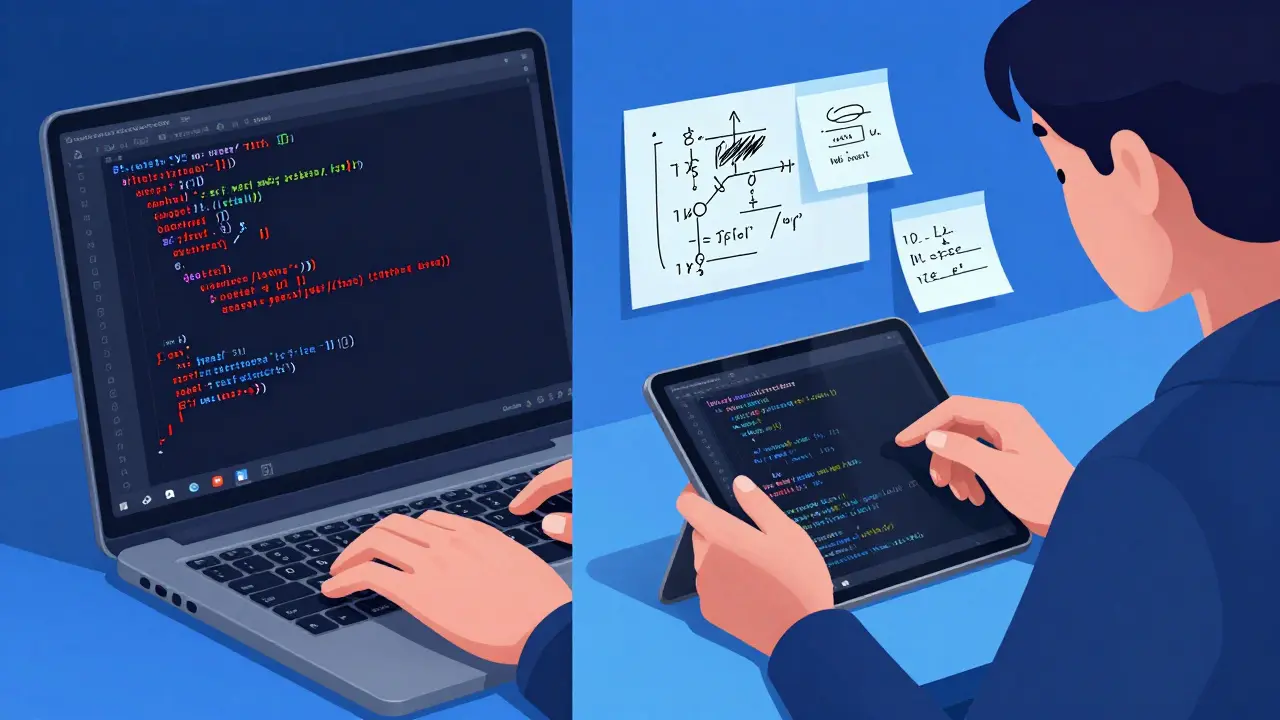
Typing code on a keyboard feels fast, but writing it out on paper forces your brain to slow down. When you write code by hand, you notice missing colons, mismatched parentheses, and logic errors you’d normally skip over on a screen. Many top developers still sketch out algorithms on whiteboards or notebooks before typing.
Try this: Take a small problem - like reversing a string or finding the largest number in a list - and write the solution on paper first. Then type it into your editor. You’ll start seeing patterns in how code flows, and your muscle memory for syntax will improve faster than any tutorial can teach you.
Break problems into tiny pieces
When you see a project like "build a to-do app," it’s easy to freeze. That’s because your brain sees one big, scary task. Instead, split it into steps you can finish in 10 minutes.
- Step 1: Display a blank input box on the screen.
- Step 2: Let the user type something and press Enter.
- Step 3: Show that item below the box.
- Step 4: Add a button to delete it.
Each step is small enough to feel doable. Finish one. Then move to the next. This method, called incremental development, is how real software is built - not by magic, but by tiny, consistent wins.
Read code, not just write it
Most beginners spend all their time writing code. But reading code is just as important. Look at open-source projects on GitHub. Find a simple one - like a calculator or a weather app built by someone else. Don’t try to understand everything at once. Just read one function at a time.
Ask yourself: Why did they name the variable userInput instead of input? Why is there a comment here but not there? How is the data being passed between functions? You’ll start picking up patterns without even trying. After reading 10-15 real code examples, you’ll notice your own code starts to look cleaner.
Use comments wisely - don’t overdo them
Comments should explain the "why," not the "what." This is a common mistake:
// add 5 to x
x = x + 5;
That comment is useless. Anyone can see that 5 is being added to x. A good comment says:
// Add 5 to account for tax (state law requires 5% minimum)When you write code, ask: Would someone else understand this without the comment? If yes, delete it. If no, explain the logic behind it - not the action.
Learn to read error messages
Errors are not your enemy. They’re your teacher. When you get a red error message, don’t panic and Google it immediately. Read it slowly. Most errors tell you exactly what went wrong - line number, type of error, even what you typed incorrectly.
For example, if you see NameError: name 'username' is not defined, it means you tried to use a variable that doesn’t exist. Did you misspell it? Did you forget to create it? The answer is right there. Practice reading errors for five minutes every day. After a week, you’ll fix bugs faster than most people who’ve been coding for months.
Don’t copy-paste code you don’t understand
Stack Overflow is amazing. But copying a block of code from there without understanding it is like using a wrench you don’t know how to hold. You might get the job done today, but tomorrow when something breaks, you won’t know why.
Instead, try this: Copy the code, then delete it. Now rewrite it from scratch, line by line. As you type, say out loud what each part does. If you can’t explain it, look it up. This forces real learning. It’s slower, but it sticks.

Build something useful - even if it’s small
Don’t wait until you "know enough" to build something. Start now. Build a script that renames all your photo files. Make a tool that reminds you to drink water every hour. Create a page that shows the current weather in your city.
These aren’t fancy apps. But they’re real. And they teach you more than ten tutorials. You’ll run into problems - file paths, APIs, formatting - and solve them. That’s how skills grow. Projects give you context. Without context, code is just memorization.
Get comfortable with the command line
You don’t need to be a hacker to use the terminal. Most coding tools - compilers, package managers, version control - run through it. Start simple: use it to navigate folders, list files, and create new ones.
cd my-project- go into your project folderls(ordiron Windows) - see what’s insidemkdir new-folder- make a new folderpython script.py- run your code
Once you’re comfortable with these four commands, you’ll save hours. No more clicking through folders. No more dragging files. Just type and go.
Ask for help - but ask smart
Everyone gets stuck. The difference between beginners who progress and those who quit is how they ask for help.
Bad question: "My code isn’t working. Help?" Good question: "I’m trying to loop through a list and skip empty items. I wrote this code: [paste code]. It gives me this error: [paste error]. I expected it to skip blank entries, but it crashes on line 7. What am I missing?"
Include: what you’re trying to do, your code, the error, and what you expected. That makes it easy for someone to help you - and you’ll get answers faster. Also, you’ll often figure it out yourself while writing the question.
And remember: no one thinks you’re stupid for asking. Everyone was a beginner once.
What’s the best programming language for a complete beginner?
Python is the best choice for most beginners. It’s easy to read, has clear syntax, and is used in web development, data science, automation, and AI. You can build real things quickly without getting bogged down by complex rules. If your goal is web development, JavaScript is a close second - but Python gives you more flexibility early on.
How long does it take to get good at coding?
You can write your first working program in an hour. But getting good - meaning you can build useful tools, debug reliably, and read others’ code - takes about 6 to 12 months of consistent practice. That’s not full-time. Even 30 minutes a day, five days a week, will get you there. It’s not about talent. It’s about showing up and solving small problems every day.
Do I need a computer science degree to code?
No. Most successful developers today never got a CS degree. What matters is your ability to solve problems and build things. You can learn everything you need through free resources, online courses, and hands-on projects. A degree helps if you want to work at big tech companies or research roles - but for most jobs, your portfolio speaks louder than your diploma.
I keep forgetting syntax. Is that normal?
Yes, completely normal. Even experienced developers forget how to write a for-loop or the exact syntax for a function. The key isn’t memorizing everything - it’s knowing where to find it. Use documentation, cheat sheets, and your own code examples. Over time, the most common patterns stick naturally. You’ll remember what you use every day. The rest? You’ll look it up - and that’s fine.
Should I use an IDE or a simple text editor?
Start with a simple text editor like VS Code or Sublime Text. They’re lightweight, fast, and have enough features for beginners. IDEs like PyCharm or IntelliJ are powerful, but they come with complexity you don’t need yet. Once you start working on larger projects or collaborating with teams, you can upgrade. For now, focus on learning code - not tools.
If you follow these tips, you won’t become a coding expert overnight. But you’ll avoid the traps that stop most beginners. You’ll build confidence, one small project at a time. And that’s how real skill is made - not by watching videos, but by doing, failing, fixing, and trying again.